梦想织机 · AI 生图提示词库

已收录 1563 条,配图可参考 用这些提示词直接出图 →

第 24 / 66 页。这里每一条都能直接在 梦想织机 里用:复制提示词、 选好比例就能生成自己的图。浏览不需要注册,生成需要登录。

信息图设计

信息图设计

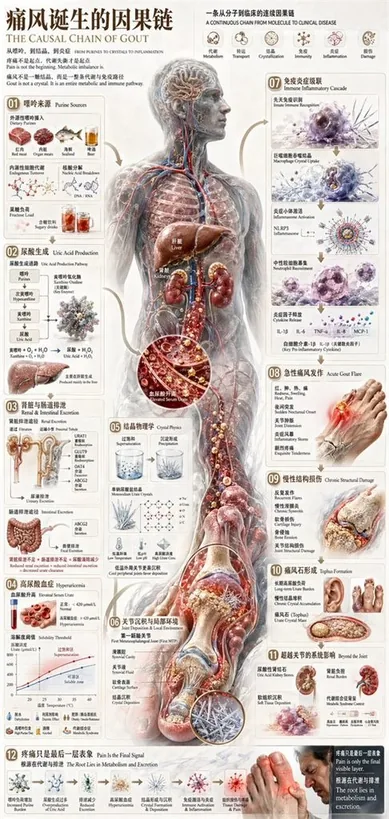
{ "type": "comprehensive medical infographic", "style": "highly detailed 3D medical illustration, clinical white background, clean typography", "header": { "title_cn": "{argument name=\"main title\" default=\"痛风诞生的因果链\"}", "title_en": "{argument name=\"english title\" default=\"THE CAUSAL CHAIN OF GOUT\"}", "subtitle": "Pain is not the beginning. Metabolic imbalance is.", "top_right_sequence": { "count": 6, "labels": ["Metabolism", "Transport", "Crystallization", "Immunity", "Inflammation", "Damage"] } }, "centerpiece": { "description": "{argument name=\"central figure\" default=\"transparent anatomical human body showing liver, kidneys, and vascular system\"}", "details": "pathway highlighted in {argument name=\"highlight color\" default=\"glowing red\"} descending to the foot" }, "layout": { "left_column": [ { "id": "01", "title": "Purine Sources", "elements": 6, "labels": ["Red meat", "Organ meats", "Seafood", "Beer", "Endogenous", "Fructose"] }, { "id": "02", "title": "Uric Acid Production", "elements": 2, "labels": ["Chemical pathway", "Liver"] }, { "id": "03", "title": "Renal & Intestinal Excretion", "elements": 2, "labels": ["Kidney nephron", "Intestines"] }, { "id": "04", "title": "Hyperuricemia", "elements": 2, "labels": ["Blood vial", "Solubility graph"] } ], "center_overlay": [ { "id": "05", "title": "Crystal Physics", "elements": 3, "labels": ["Supersaturation beaker", "Precipitation beaker", "Molecular structure"] }, { "id": "06", "title": "Joint Deposition & Local Environment", "elements": 1, "labels": ["First MTP joint cross-section"] } ], "right_column": [ { "id": "07", "title": "Immune Inflammatory Cascade", "elements": 4, "labels": ["Macrophage", "Inflammasome", "Neutrophil", "Cytokines"] }, { "id": "08", "title": "Acute Gout Flare", "elements": 1, "labels": ["Inflamed foot"] }, { "id": "09", "title": "Chronic Structural Damage", "elements": 1, "labels": ["Bone erosion joint"] }, { "id": "10", "title": "Tophus Formation", "elements": 2, "labels": ["Hand tophi", "Foot tophi"] }, { "id": "11", "title": "Beyond the Joint", "elements": 2, "labels": ["Kidney stones", "Systemic burden"] } ], "bottom_row": [ { "id": "12", "title": "Pain Is the Final Signal", "elements": 7, "labels": ["Increased Purine", "Overproduction", "Reduced Excretion", "Hyperuricemia", "Crystal Formation", "Immune Activation", "Man in pain"] } ] }, "theme": "{argument name=\"disease focus\" default=\"gout and uric acid crystallization\"}" }

信息图设计infographic
去生成同款
UI与界面

UI与界面

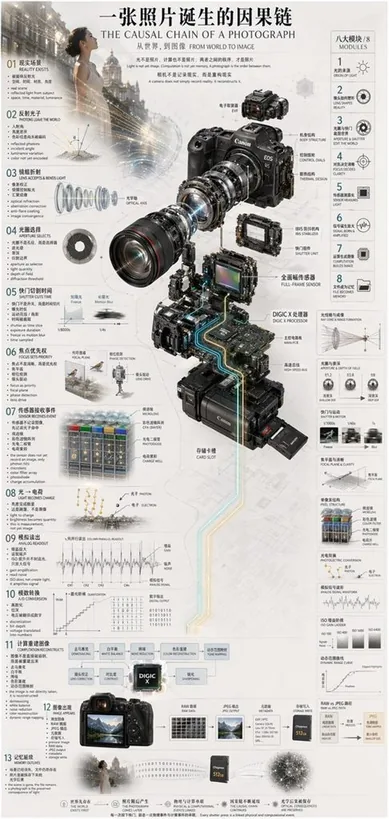
{ "type": "technical infographic", "subject": "{argument name=\"subject matter\" default=\"digital photography process\"}", "header": { "title": "{argument name=\"main title\" default=\"一张照片诞生的因果链 THE CAUSAL CHAIN OF A PHOTOGRAPH\"}", "subtitle": "从世界,到图像 FROM WORLD TO IMAGE" }, "centerpiece": { "description": "Exploded isometric view of a modern mirrorless camera", "model": "{argument name=\"camera model\" default=\"Canon EOS R5\"}", "labeled_parts_count": 12, "labeled_parts": [ "EVF", "Body Structure", "Control Dials", "Thermal Design", "Optical Axis", "IBIS Stabilizer", "Shutter Unit", "Full-Frame Sensor", "{argument name=\"processor name\" default=\"DIGIC X Processor\"}", "Main PCB", "High-Speed Bus", "Card Slot" ] }, "layout": { "left_column": { "description": "Chronological causal chain", "count": 13, "steps": [ "01 REALITY EXISTS", "02 PHOTONS LEAVE THE WORLD", "03 LENS ACCEPTS & BENDS LIGHT", "04 APERTURE SELECTS", "05 SHUTTER CUTS TIME", "06 FOCUS SETS PRIORITY", "07 SENSOR RECEIVES EVENT", "08 LIGHT BECOMES CHARGE", "09 ANALOG READOUT", "10 A/D CONVERSION", "11 COMPUTATION RECONSTRUCTS", "12 IMAGE APPEARS", "13 MEMORY OUTLIVES" ] }, "right_column": { "title": "八大模块 / 8 MODULES", "count": 8, "modules": [ "1 ORIGIN OF LIGHT", "2 LENS SHAPES REALITY", "3 APERTURE & SHUTTER EDIT THE WORLD", "4 FOCUS DECIDES CLARITY", "5 SENSOR MEASURES LIGHT", "6 SIGNAL BORN & AMPLIFIED", "7 COMPUTATION BUILDS IMAGE", "8 FILE BECOMES MEMORY" ] }, "side_diagrams": { "count": 7, "descriptions": [ "Ray cone & image formation", "Aperture & depth of field", "Shutter & motion", "Focal plane & clarity", "Pixel structure", "Photoelectric conversion", "Analog signal waveform" ] }, "footer": { "count": 5, "description": "Philosophical summary points" } }, "style": "technical, precise, wireframe elements, glowing data lines, photorealistic camera components, clean typography, dual-language" }

UI与界面ui
去生成同款
UI与界面

UI与界面

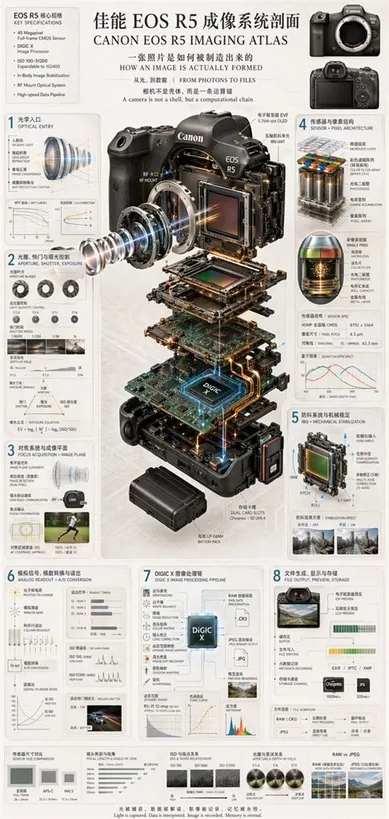
{ "type": "technical infographic and exploded view diagram", "header": { "title": "{argument name=\"main title\" default=\"佳能 EOS R5 成像系统剖面 CANON EOS R5 IMAGING ATLAS\"}", "subtitles": [ "一张照片是如何被制造出来的 HOW AN IMAGE IS ACTUALLY FORMED", "从光,到数据 | FROM PHOTONS TO FILES", "相机不是壳体,而是一条运算链 A camera is not a shell, but a computational chain" ], "top_left_box": { "title": "EOS R5 核心规格 KEY SPECIFICATIONS", "bullet_points_count": 6 }, "top_right_images": { "count": 2, "description": "front and back views of the camera body" } }, "centerpiece": { "description": "highly detailed 3D exploded view of the {argument name=\"camera model\" default=\"Canon EOS R5\"} camera, showing internal components separated vertically", "components_visible": [ "lens mount", "lens elements with glowing blue light rays", "image sensor", "motherboard with glowing {argument name=\"processor name\" default=\"DIGIC X\"} chip", "battery pack", "dual card slots", "electronic viewfinder (EVF)" ] }, "layout": { "numbered_sections": [ { "number": 1, "title": "光学入口 OPTICAL ENTRY", "elements": ["lens cross-section with light rays", "2 line graphs"] }, { "number": 2, "title": "光圈、快门与曝光控制 APERTURE, SHUTTER, EXPOSURE", "elements": ["3 aperture blade diagrams", "4 shutter speed example photos", "depth of field diagram", "exposure triangle diagram"] }, { "number": 3, "title": "对焦系统与成像平面 FOCUS ACQUISITION + IMAGE PLANE", "elements": ["lens alignment diagram", "AF coverage photo of a runner"] }, { "number": 4, "title": "传感器与像素结构 SENSOR + PIXEL ARCHITECTURE", "elements": ["3D pixel array diagram", "single pixel cross-section diagram", "sensor spec table", "quantum efficiency graph"] }, { "number": 5, "title": "防抖系统与机械稳定 IBIS + MECHANICAL STABILIZATION", "elements": ["sensor shift mechanism diagram with yaw/pitch/roll axes", "2 stabilization effect comparison photos"] }, { "number": 6, "title": "模拟信号、模数转换与读出 ANALOG READOUT + A/D CONVERSION", "elements": ["signal flowchart", "3 readout timing graphs", "signal-to-noise ratio graph", "rolling shutter example photo of a car"] }, { "number": 7, "title": "DIGIC X 图像处理链 DIGIC X IMAGE PROCESSING PIPELINE", "elements": ["processing flowchart with central chip", "dynamic range graph", "tone curve graph", "histogram"] }, { "number": 8, "title": "文件生成、显示与存储 FILE OUTPUT, PREVIEW, STORAGE", "elements": ["file output flowchart", "2 storage card icons", "file workflow diagram"] } ], "bottom_comparisons": { "count": 5, "labels": [ "传感器尺寸对比 SENSOR SIZE COMPARISON", "镜头焦距与视角 FOCAL LENGTH & ANGLE OF VIEW", "ISO 与噪点关系 ISO & NOISE RELATIONSHIP", "光圈与景深关系 APERTURE & DEPTH OF FIELD", "RAW vs JPEG" ] }, "footer": "{argument name=\"footer quote\" default=\"光被捕获,数据被解读,影像被记录,记忆被永恒。 Light is captured. Data is interpreted. Image is recorded. Memory is eternal.\"}" }, "style": "clean, technical, highly detailed, photorealistic components, blueprint-style annotations, light gray background, precise typography" }

UI与界面ui
去生成同款
UI与界面

UI与界面

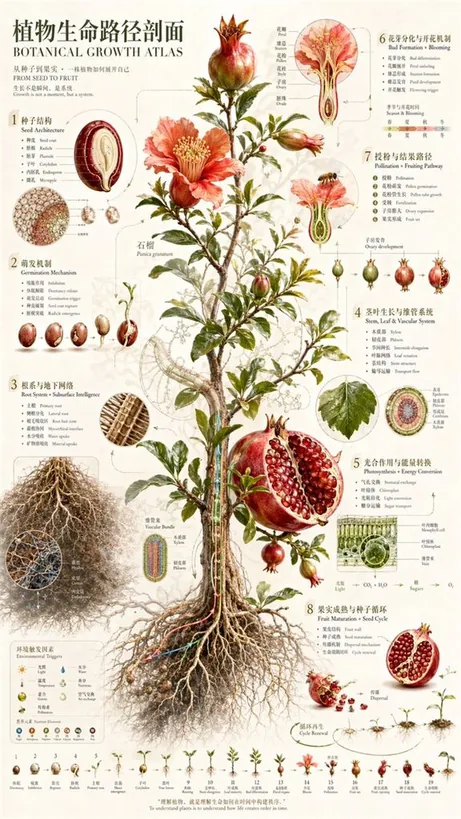
{ "type": "scientific botanical infographic poster", "subject": "{argument name=\"plant species\" default=\"Pomegranate (Punica granatum)\"}", "style": "vintage botanical illustration mixed with modern infographic design, highly detailed, {argument name=\"color palette\" default=\"earthy greens, deep reds, parchment background\"}", "header": { "main_title": "{argument name=\"main title\" default=\"植物生命路径剖面\"}", "english_title": "{argument name=\"english title\" default=\"BOTANICAL GROWTH ATLAS\"}", "subtitle": "从种子到果实,一株植物如何展开自己 / FROM SEED TO FRUIT" }, "centerpiece": "full plant showing extensive root system, woody stem, green leaves, blooming red flowers, and ripe fruits including one halved to show seeds", "layout": { "numbered_sections": [ { "number": 1, "title": "种子结构 / Seed Architecture", "content": "cross-section of a single seed with 6 labeled parts" }, { "number": 2, "title": "萌发机制 / Germination Mechanism", "content": "sequence of 5 sprouting seeds showing radicle emergence" }, { "number": 3, "title": "根系与地下网络 / Root System + Subsurface Intelligence", "content": "detailed root network with 2 circular microscopic cross-sections showing vascular bundles and hyphae" }, { "number": 4, "title": "茎叶生长与维管系统 / Stem, Leaf & Vascular System", "content": "leaf detail and circular stem cross-section with 5 labeled layers" }, { "number": 5, "title": "光合作用与能量转换 / Photosynthesis + Energy Conversion", "content": "3D cellular cross-section of a leaf showing mesophyll and chloroplasts, plus a chemical equation diagram" }, { "number": 6, "title": "花芽分化与开花机制 / Bud Formation + Blooming", "content": "detailed flower cross-section showing stamen and ovary, plus a 4-season timeline" }, { "number": 7, "title": "授粉与结果路径 / Pollination + Fruiting Pathway", "content": "bee approaching a flower cross-section, followed by a sequence of 5 stages of ovary development into a fruit" }, { "number": 8, "title": "果实成熟与种子循环 / Fruit Maturation + Seed Cycle", "content": "ripe fruit breaking open, seeds dispersing downwards to a new sprout" } ], "additional_elements": [ { "position": "bottom left", "title": "环境触发因素 / Environmental Triggers", "content": "grid of 6 weather/environmental icons and 6 nutrient element icons (N, P, K, Ca, Mg, Fe)" }, { "position": "bottom edge", "title": "Growth Timeline", "content": "linear sequence of 19 small plant icons showing the complete life cycle from seed to mature plant" } ], "footer_quote": "{argument name=\"bottom quote\" default=\"理解植物,就是理解生命如何在时间中构建秩序。\"}" } }

UI与界面ui
去生成同款
UI与界面

UI与界面

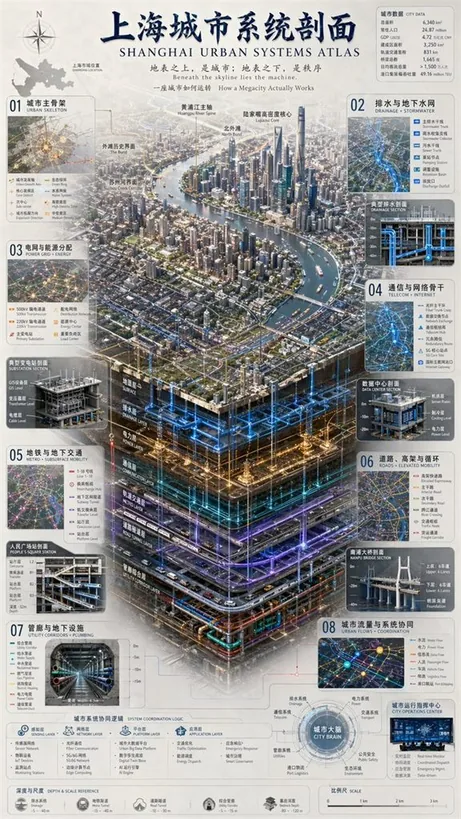
{ "type": "complex urban systems atlas infographic", "style": "{argument name=\"color palette\" default=\"dark background with glowing blue, gold, and purple accents\"}, highly detailed technical illustration, 3D isometric cutaway", "header": { "title": "{argument name=\"chinese city name\" default=\"上海\"}城市系统剖面 {argument name=\"english city name\" default=\"SHANGHAI\"} URBAN SYSTEMS ATLAS", "subtitles": [ "地表之上,是城市;地表之下,是秩序 {argument name=\"english subtitle\" default=\"Beneath the skyline lies the machine.\"}", "一座城市如何运转 How a Megacity Actually Works" ] }, "layout": { "top_left": "Compass rose and city map labeled '上海市域位置 SHANGHAI LOCATION'", "top_right": "Data table titled '城市数据 CITY DATA' with 7 rows of statistics", "centerpiece": { "description": "{argument name=\"centerpiece style\" default=\"highly detailed 3D isometric cutaway render\"} of a megacity river landscape", "layers": [ "地面层 SURFACE", "排水层 DRAINAGE LAYER", "电力层 POWER LAYER", "通信层 COMMUNICATION LAYER", "轨道交通层 METRO LAYER", "道路隧道层 ROAD TUNNEL LAYER", "管廊综合层 UTILITY CORRIDOR LAYER" ] }, "side_panels": [ { "id": "01", "title": "城市主骨架 URBAN SKELETON", "elements": "Map with 8 legend items" }, { "id": "02", "title": "排水与地下水网 DRAINAGE + STORMWATER", "elements": "Cross-section diagram '典型排水剖面 DRAINAGE SECTION' with 5 legend items" }, { "id": "03", "title": "电网与能源分配 POWER GRID + ENERGY", "elements": "Cross-section diagram '典型变电站剖面 SUBSTATION SECTION' with 6 legend items" }, { "id": "04", "title": "通信与网络骨干 TELECOM + INTERNET", "elements": "Cross-section diagram '数据中心剖面 DATA CENTER SECTION' with 6 legend items" }, { "id": "05", "title": "地铁与地下交通 METRO + SUBSURFACE MOBILITY", "elements": "Cross-section diagram '人民广场站剖面 PEOPLE'S SQUARE STATION' with 6 legend items" }, { "id": "06", "title": "道路、高架与循环 ROADS + ELEVATED MOBILITY", "elements": "Cross-section diagram '南浦大桥剖面 NANPU BRIDGE SECTION' with 6 legend items" }, { "id": "07", "title": "管廊与地下设施 UTILITY CORRIDORS + PLUMBING", "elements": "Cross-section diagram '综合管廊 UTILITY CORRIDOR' with 8 legend items" }, { "id": "08", "title": "城市流量与系统协同 URBAN FLOWS + COORDINATION", "elements": "Map diagram '城市运行指挥中心 CITY OPERATIONS CENTER' with 6 legend items" } ], "bottom_panels": { "system_logic": { "title": "城市系统协同逻辑 SYSTEM COORDINATION LOGIC", "steps": 4, "labels": ["感知层 SENSING LAYER", "网络层 NETWORK LAYER", "平台层 PLATFORM LAYER", "应用层 APPLICATION LAYER"] }, "city_brain": { "title": "城市大脑 CITY BRAIN", "central_node": 1, "peripheral_nodes": 8 }, "references": { "depth_scale": { "title": "深度与尺度 DEPTH & SCALE REFERENCE", "icons": 5 }, "map_scale": { "title": "比例尺 SCALE", "markers": 4 } } } } }

UI与界面ui
去生成同款
UI与界面

UI与界面

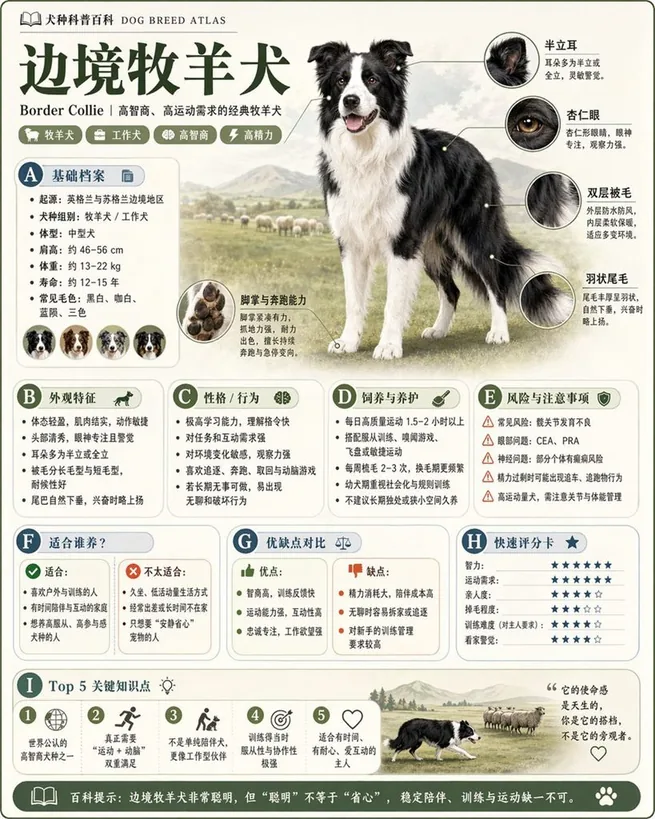
Please generate a high-quality vertical "Popular Science Encyclopedia Image" based on {argument name="theme" default="animals"}. This image is not a regular poster or a simple illustration, but a modular popular science infographic that possesses a sense of "illustration book, encyclopedia, information structure, and collectability." The overall style should reference a combination of high-end natural history illustrations, modern encyclopedia pages, lifestyle knowledge cards, and highly shareable social media infographics. Please include in the frame: - A clear and beautiful main visual of the subject - Several magnified details of local characteristics - Multiple rounded modular information sections - Clear title hierarchies and key labels - Concise yet rich encyclopedic content - Visual ratings, key point summaries, or Top 5 modules Content columns should be automatically adapted based on the theme, prioritized from these directions: basic profile, classification information, appearance characteristics, habits/ecology, formation mechanism/structure, growth or use conditions, care or maintenance suggestions, risks and precautions, suitable audience or scenarios, pros and cons comparison, and quick rating cards. Visual requirements: Light-colored clean background, soft color palette, light shadows, exquisite small icons, rounded information boxes, neat layout, high information density but not crowded, good reading experience. The overall result must look like a real science encyclopedia card suitable for publishing, reading, collecting, and serialized production, rather than an advertisement. Please do not make it a regular commercial promotional poster. Highlight the features of "knowledge organization + modular information + illustration-style display."

UI与界面ui
去生成同款
UI与界面

UI与界面

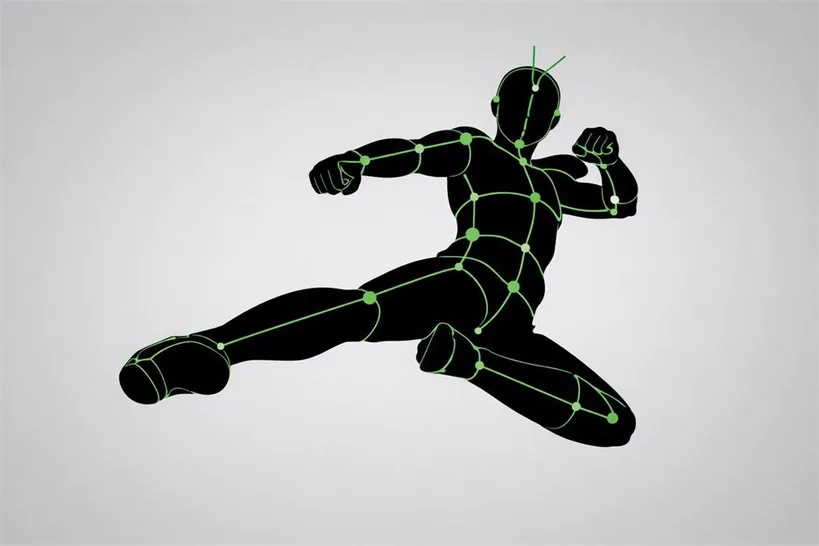
[CORE TASK] Transform the provided input image into a pose-and-light analysis sheet. This is NOT a finished character illustration. This is NOT a clothing sheet. This is NOT a beauty-preserving redraw. This is a white-line rough mannequin conversion. [PRIMARY GOAL] Extract and visualize only: - pose structure - body balance - camera angle - body line flow - inferred light source placement - illuminated areas and light intensity [INPUT ROLE] Use the provided image as the strict anchor for: - pose - camera angle - body tilt - weight distribution - approximate lighting situation Do NOT preserve: - face rendering - hairstyle rendering - clothing detail - accessories - weapon detail - background architecture - character identity - emotional expression [FIGURE CONVERSION] single rough mannequin-like human figure white body contour lines white internal construction lines simple mannequin head no face no eyes no mouth no eyelashes no personality no individual identity human figure should look like: - rough pose mannequin - anatomy proxy - line-based body guide - structural sketch - white-line rough dummy keep: - pose readability - silhouette flow - head tilt - torso direction - pelvis direction - limb placement [BACKGROUND] pure black background negative-style dark field no scenery no props no architecture no environmental storytelling [LINE STYLE] rough white line drawing clean but sketch-like construction-line feeling anatomy guide lines visible joint flow visible body contour emphasized no polished illustration finish [LIGHT ESTIMATION] predict the likely light source positions from the input image visualize the light sources and illuminated areas using green glow only use green light intensity with variation: - strongest green where the light directly hits - medium green for wrap light - soft green for reflected or fading light mark the estimated light sources with labels and arrows such as: - Main Light - Rim Light - Fill Light - Floor Bounce - Back Light only if appropriate IMPORTANT: do not invent random lights infer lighting from the original input image if the lighting is ambiguous, keep the annotations simple and plausible [GREEN LIGHT VISUALIZATION] show green glow on: - head / skull plane - neck - shoulders - chest plane - ribcage direction - pelvis edge - thigh planes - knee contact points - floor contact bounce if applicable use green light not as decoration, but as lighting analysis information [POSE PRIORITY] 1. preserve pose structure 2. preserve camera angle 3. preserve body balance 4. preserve head-torso relationship 5. visualize likely light direction 6. show illuminated areas with readable green intensity variation [NEGATIVE] finished person, cute girl, detailed face, hair rendering, clothing rendering, weapon emphasis, beautiful anatomy

UI与界面ui
去生成同款
信息图设计

信息图设计

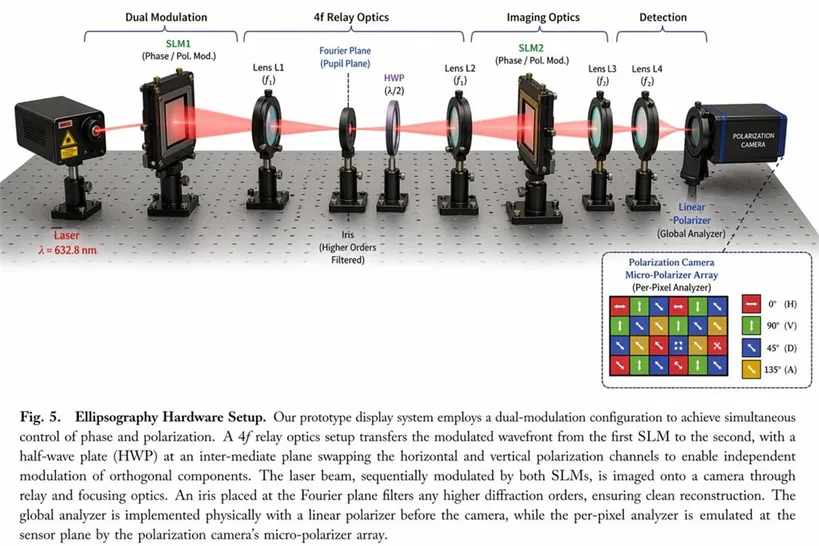
{ "type": "scientific hardware diagram", "layout": { "main_scene": "3D render of an optical table with a red laser beam passing through 11 aligned optical components mounted on black posts.", "top_brackets": [ {"label": "Dual Modulation", "span": "SLM1"}, {"label": "4f Relay Optics", "span": "Lens L1 to Lens L2"}, {"label": "Imaging Optics", "span": "SLM2 to Lens L4"}, {"label": "Detection", "span": "Camera"} ], "optical_components_left_to_right": [ {"name": "Laser", "labels": ["Laser", "λ = {argument name=\"laser wavelength\" default=\"632.8 nm\"}"]}, {"name": "SLM1", "labels": ["SLM1", "(Phase / Pol. Mod.)"]}, {"name": "Lens L1", "labels": ["Lens L1", "(f1)"]}, {"name": "Iris", "labels": ["Fourier Plane", "(Pupil Plane)", "Iris", "(Higher Orders Filtered)"]}, {"name": "HWP", "labels": ["HWP", "(λ/2)"]}, {"name": "Lens L2", "labels": ["Lens L2", "(f1)"]}, {"name": "SLM2", "labels": ["SLM2", "(Phase / Pol. Mod.)"]}, {"name": "Lens L3", "labels": ["Lens L3", "(f2)"]}, {"name": "Lens L4", "labels": ["Lens L4", "(f2)"]}, {"name": "Linear Polarizer", "labels": ["Linear", "-Polarizer", "(Global Analyzer)"]}, {"name": "Polarization Camera", "labels": ["POLARIZATION CAMERA"]} ], "inset_box": { "position": "bottom right", "title": "Polarization Camera Micro-Polarizer Array (Per-Pixel Analyzer)", "grid": "4x4 grid of colored squares with directional arrows", "legend_count": 4, "legend_items": [ "Red square, horizontal arrow, 0° (H)", "Green square, vertical arrow, 90° (V)", "Blue square, diagonal arrow, 45° (D)", "Yellow square, diagonal arrow, 135° (A)" ] }, "bottom_caption": { "figure_prefix": "{argument name=\"figure number\" default=\"Fig. 5.\"}", "title": "{argument name=\"system name\" default=\"Ellipsography Hardware Setup.\"}", "text": "Paragraph of scientific text explaining the dual-modulation configuration, 4f relay optics, and polarization camera." } } }

信息图设计infographic
去生成同款
UI与界面

UI与界面

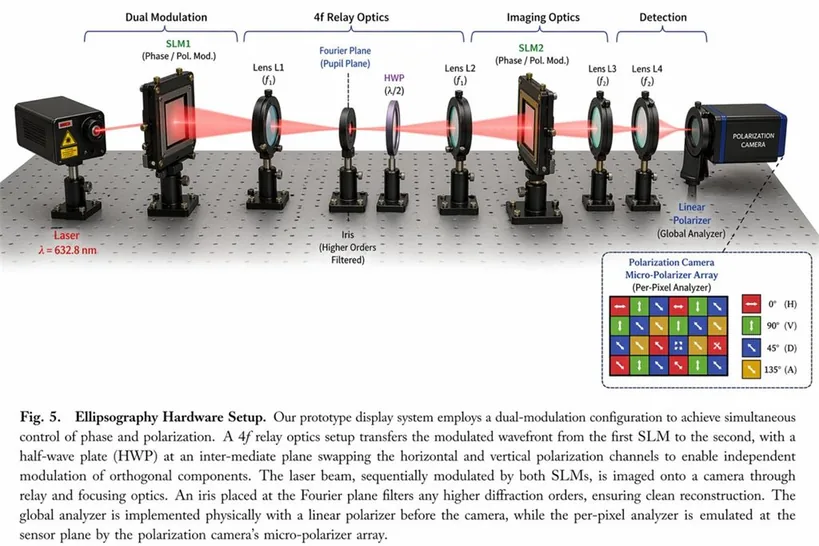
{ "type": "scientific optical setup diagram", "main_setup": { "base": "optical breadboard table with grid of mounting holes", "beam": "red laser beam passing horizontally through all components", "top_grouping_brackets": [ "{argument name=\"first component group\" default=\"Dual Modulation\"}", "4f Relay Optics", "Imaging Optics", "Detection" ], "components_left_to_right": [ { "name": "Laser", "label": "{argument name=\"laser wavelength\" default=\"λ = 632.8 nm\"}", "appearance": "black rectangular box" }, { "name": "SLM1", "label": "(Phase / Pol. Mod.)", "appearance": "black square device on post" }, { "name": "Lens L1", "label": "(f1)", "appearance": "lens in black ring mount" }, { "name": "Iris", "label": "Fourier Plane (Pupil Plane) / (Higher Orders Filtered)", "appearance": "black ring mount with dashed line above" }, { "name": "HWP", "label": "(λ/2)", "appearance": "purple-tinted optic in black ring mount" }, { "name": "Lens L2", "label": "(f1)", "appearance": "lens in black ring mount" }, { "name": "SLM2", "label": "(Phase / Pol. Mod.)", "appearance": "black square device on post" }, { "name": "Lens L3", "label": "(f2)", "appearance": "lens in black ring mount" }, { "name": "Lens L4", "label": "(f2)", "appearance": "lens in black ring mount" }, { "name": "Linear Polarizer", "label": "(Global Analyzer)", "appearance": "lens in black ring mount" }, { "name": "Polarization Camera", "label": "POLARIZATION CAMERA", "appearance": "blue and black box camera" } ] }, "inset_diagram": { "position": "bottom right, dashed border", "title": "{argument name=\"inset title\" default=\"Polarization Camera Micro-Polarizer Array\"} (Per-Pixel Analyzer)", "visuals": "4x4 grid of colored squares with white directional arrows", "legend_count": 4, "legend_labels": [ "red right-arrow 0° (H)", "green up-arrow 90° (V)", "blue diagonal-arrow 45° (D)", "yellow diagonal-arrow 135° (A)" ] }, "bottom_caption": { "figure_number": "Fig. 5.", "title": "{argument name=\"setup title\" default=\"Ellipsography Hardware Setup.\"}", "description": "{argument name=\"figure caption\" default=\"Our prototype display system employs a dual-modulation configuration to achieve simultaneous control of phase and polarization. A 4f relay optics setup transfers the modulated wavefront...\"}" } }

UI与界面ui
去生成同款
信息图设计

信息图设计

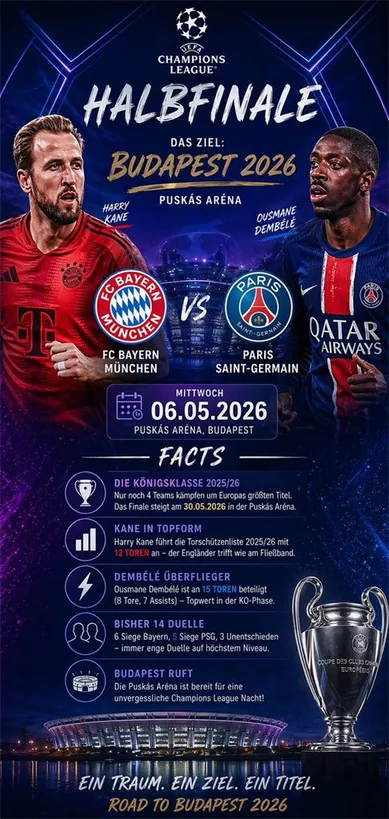
{ "type": "sports match infographic poster", "theme": "UEFA Champions League", "background": "dark blue and purple cosmic sky, glowing blue hexagonal lines, illuminated stadium reflecting on water at bottom", "header": { "logo": "UEFA Champions League", "title": "{argument name=\"stage\" default=\"HALBFINALE\"}", "subtitle": "DAS ZIEL: {argument name=\"location\" default=\"BUDAPEST 2026\"}", "venue": "PUSKÁS ARÉNA" }, "matchup": { "player_left": "{argument name=\"team 1 player\" default=\"Harry Kane\"} in red FC Bayern kit", "player_right": "{argument name=\"team 2 player\" default=\"Ousmane Dembélé\"} in blue PSG kit", "center_logos": "FC Bayern München and Paris Saint-Germain with VS", "date_box": "calendar icon, MITTWOCH, {argument name=\"date\" default=\"06.05.2026\"}" }, "facts_section": { "title": "FACTS", "count": 5, "items": [ "Trophy icon: DIE KÖNIGSKLASSE 2025/26", "Bar chart icon: KANE IN TOPFORM", "Lightning bolt icon: DEMBÉLÉ ÜBERFLIEGER", "Two people icon: BISHER 14 DUELLE", "Stadium icon: BUDAPEST RUFT" ] }, "footer": { "trophy": "Champions League trophy on right", "stadium_image": "Puskás Aréna at night", "tagline": "EIN TRAUM. EIN ZIEL. EIN TITEL.", "bottom_text": "ROAD TO BUDAPEST 2026" } }

信息图设计infographic
去生成同款
UI与界面

UI与界面

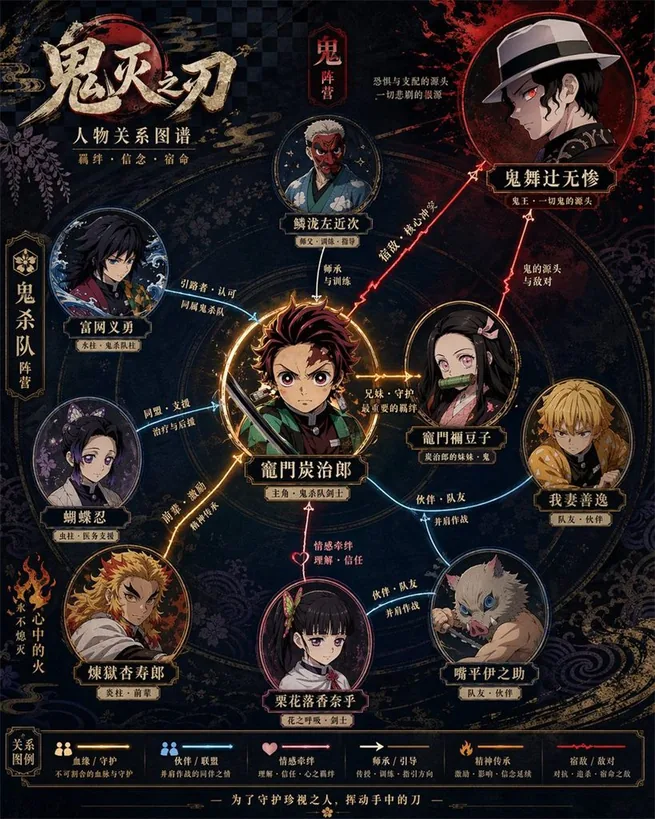
Please generate a high-design character relationship map poster based on {argument name="theme" default="Demon Slayer"}. This image should not be a simple illustration, but a character relationship map that combines information visualization, narrative structure, poster design sense, and stylistic fidelity. Please automatically complete the following: - Identify the work and core settings corresponding to the theme - Extract the most representative 6–12 key characters, not exceeding 15 if necessary - Identify and display key character relationships, including blood ties, romance, friendship, alliances, hostility, master-disciple, etc. - Automatically choose a composition method based on the work's characteristics, such as protagonist-centered, dual-core confrontation, faction-based, family tree, or chronological evolution - Automatically refine the work's style DNA, including color, worldview symbols, textures, mood, typography, and representative elements - Transform these stylistic elements into an overall visual design for the relationship map, rather than simply copying an official poster - Use different colors, line types, and arrows to distinguish different relationships, ensuring clear lines and layers without clutter - Make core characters most prominent, followed by important characters, and subordinate characters weakened to form a clear visual hierarchy - Ensure every character name is legible, with identity or faction labels if necessary The final product should satisfy: - Immediate understanding of character hierarchy and key relationships - Obvious alignment with the original work's temperament and setting - Combines the clarity of an infographic with the premium design of a poster - Unified, exquisite, complete, and suitable for social media sharing or poster display - Avoids a cheap flowchart feel, messy piling, and information overload.

UI与界面ui
去生成同款
UI与界面

UI与界面

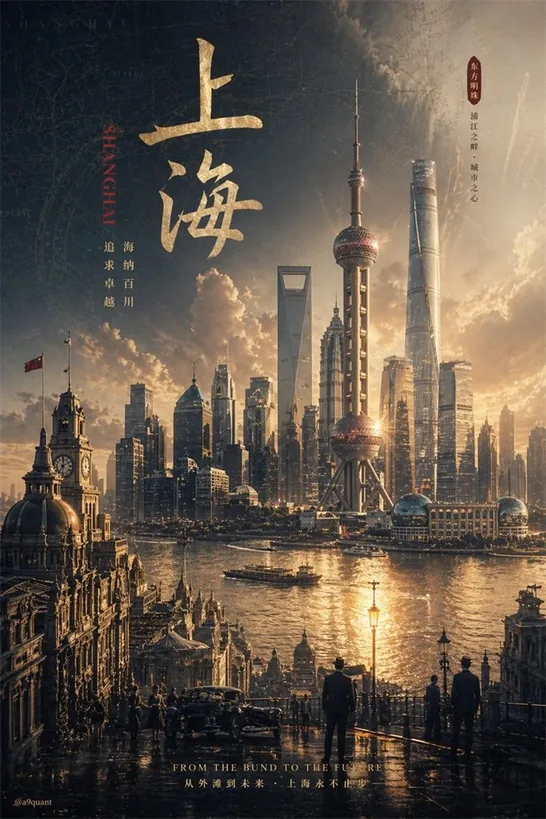
GPT-Image-2 prompt: please automatically generate a top-tier concept poster / infographic-style movie poster centered around {argument name="theme" default="ranking of emperors in Chinese history"}. Require the AI to automatically derive and uniformly design the entire following visual system based on this theme, without my extra specification: - Core subject (automatically judge suitability for people, products, architecture, artifacts, symbols, scenes, or abstract imagery) - Bottom supporting structure - Hovering symbols or spiritual symbols above - Scene wrapping elements - Metaphor system - Color hierarchy - Material contrast - Lighting logic - Title, subtitle, and auxiliary copy - Brand sense and high-end expression The final frame must be: a shocking, precise, unified, cinematic, ultra-high detail conceptual key visual poster suitable for high-end printing. [Overall Style] Ultra-realistic 3D commercial CGI rendering, merging cinematic lighting, luxury visual language, futuristic concept design, and epic composition. The image must have a "single main visual core," not messy, not like a collage, and not like a regular e-commerce poster. [Automatic Derivation Rules] AI must automatically decide based on the [theme]: 1. Core visual metaphor 2. Subject type and posture 3. Form of supporting structure 4. Form of suspended elements 5. Scene shell and spatial atmosphere 6. Main, auxiliary, and emphasis colors 7. Material combinations 8. Text temperament and layout style [Composition Rules] - Absolute sense of premium quality - Strong central order, overall unity - Allows for axial symmetry or epic composition near the central axis - Clear visual gravity, forming clear levels from top to bottom - Edge negative space is clean, restrained, and has room to breathe [Visual Quality] - Ultra-high detail - Clear volumetric light - Authentic materials - Natural reflection, refraction, shadows, fog, and depth of field - Overall standard of high-end brand campaign key visual / luxury invitation poster / conceptual editorial poster [Typography System] - Overall 90% visual, 10% text - AI automatically generates the most matching main title and subtitle based on the [theme] - Title must be concise, sharp, and powerful - Text should be as minimal and accurate as possible; do not stack words [Signature Requirement] Naturally add the author signature in the bottom corner: @a9quant

UI与界面ui
去生成同款
UI与界面

UI与界面

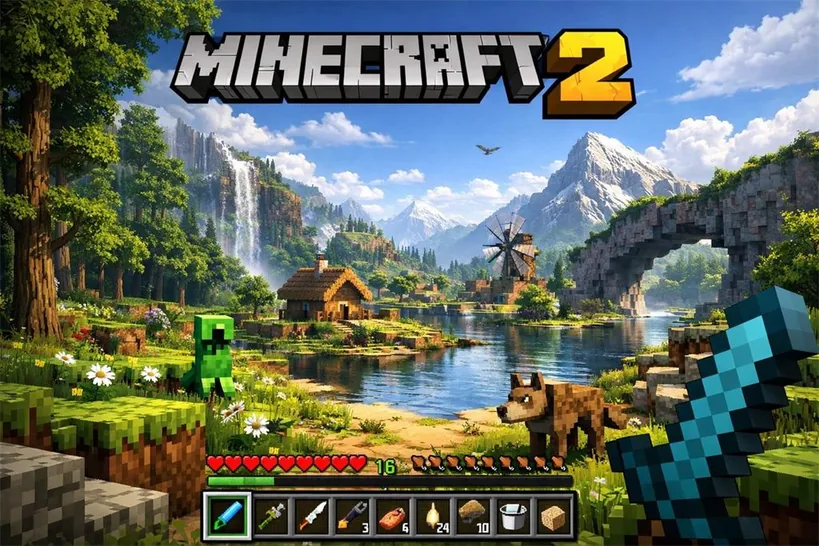
A highly detailed, realistic first-person video game screenshot of a next-generation voxel-based world. At the top center, a large, bold 3D logo reads "{argument name="game title" default="MINECRAFT 2"}". The scene features a {argument name="environment" default="lush, blocky landscape with a river, a small wooden cabin, a windmill, a waterfall, and majestic mountains in the background"}. The world blends realistic lighting, volumetric clouds, and high-resolution textures with cubic, voxel geometry. In the foreground on the left, a {argument name="mob 1" default="blocky green creeper"} stands on the grass, while a {argument name="mob 2" default="blocky brown wolf"} stands on the dirt path to the right. On the far right, the player's hand holds a {argument name="held item" default="pixelated blue diamond sword"} in a first-person perspective. At the bottom of the screen is a game user interface featuring a health bar with 10 red hearts, a green experience bar with the number '16', a hunger bar with 10 brown meat icons, and a 9-slot inventory hotbar. The hotbar contains, from left to right: a selected blue tool with a green highlight box, a green tool, a knife, a wrench with the number '3', a piece of meat with '6', a lantern with '24', a dirt block with '10', a bucket, and a sponge block.

UI与界面ui
去生成同款
UI与界面

UI与界面

An anime-style YouTube stream thumbnail featuring a cheerful female VTuber. She has long {argument name="hair color" default="pink with light blue inner highlights"} hair, blue eyes, and wears black and white cat-ear headphones with a boom mic. She wears a white collared shirt with a black and pink star ribbon and a black choker, smiling with one hand near her chin. The background is a gaming room with {argument name="room lighting" default="purple and blue neon"} lighting, showing a desk equipped with 1 white keyboard, 1 mug, 1 glowing cat figure, 1 game controller, and 1 streaming microphone. The left side features large, bold, pop-art Japanese typography: a bright pink top word "{argument name="main text line 1" default="雑談"}" and a bright blue bottom word "{argument name="main text line 2" default="配信"}". Below is a pink banner reading "{argument name="subtitle text" default="今夜もゆるっとトーク!"}". A red "LIVE" badge sits in the top left. Floating speech bubbles, stars, and hearts decorate the composition.

UI与界面ui
去生成同款
Logo设计

Logo设计

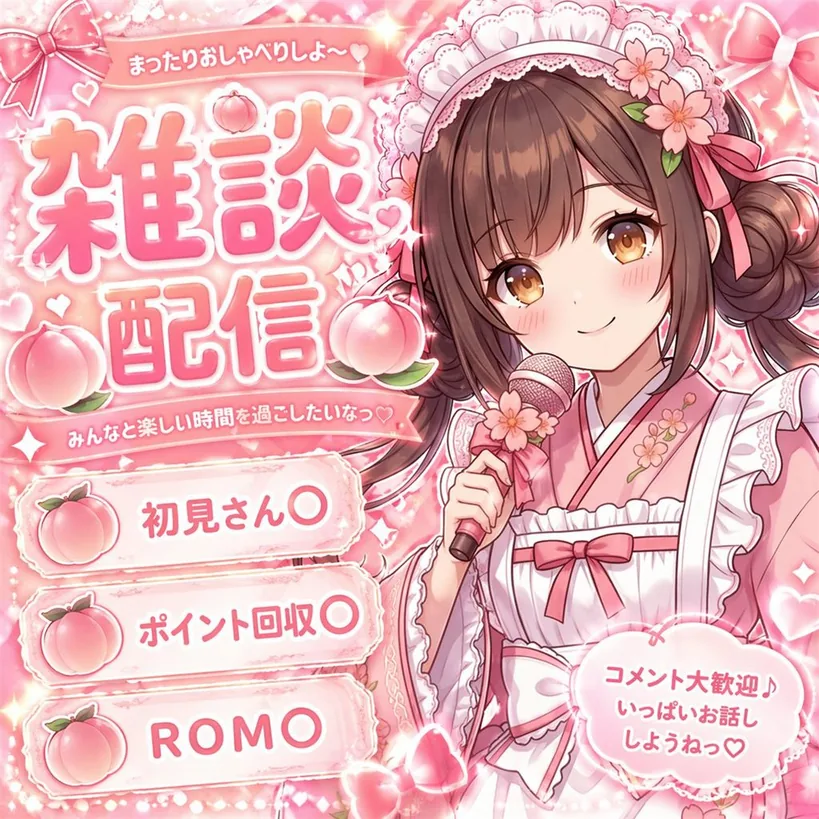
{ "type": "VTuber stream thumbnail", "style": "anime, highly detailed, cute, sparkly, overwhelmingly pink color palette", "character": { "description": "anime girl with brown hair in twin buns, amber eyes, smiling gently", "outfit": "pink kimono combined with a white frilly maid apron, cherry blossom hair accessories", "pose": "holding a pink microphone decorated with a flower near her face" }, "layout": { "background": "pink gradient with sparkles, glowing hearts, and decorative pink bows", "text_sections": [ { "type": "top ribbon", "text": "{argument name=\"top subtitle\" default=\"まったりおしゃべりしよ〜🤍\"}" }, { "type": "main title", "text": "{argument name=\"main title\" default=\"雑談配信\"}", "decorations": "surrounded by 3 large peach illustrations" }, { "type": "middle ribbon", "text": "{argument name=\"middle subtitle\" default=\"みんなと楽しい時間を過ごしたいなっ♡\"}" }, { "type": "bullet points", "position": "bottom left", "count": 3, "icon": "peach", "labels": [ "{argument name=\"bullet 1\" default=\"初見さん〇\"}", "{argument name=\"bullet 2\" default=\"ポイント回収〇\"}", "ROMO" ] }, { "type": "speech bubble", "position": "bottom right", "text": "コメント大歓迎♪ いっぱいお話し しようねっ♡" } ] } }

Logo设计logo
去生成同款
UI与界面

UI与界面

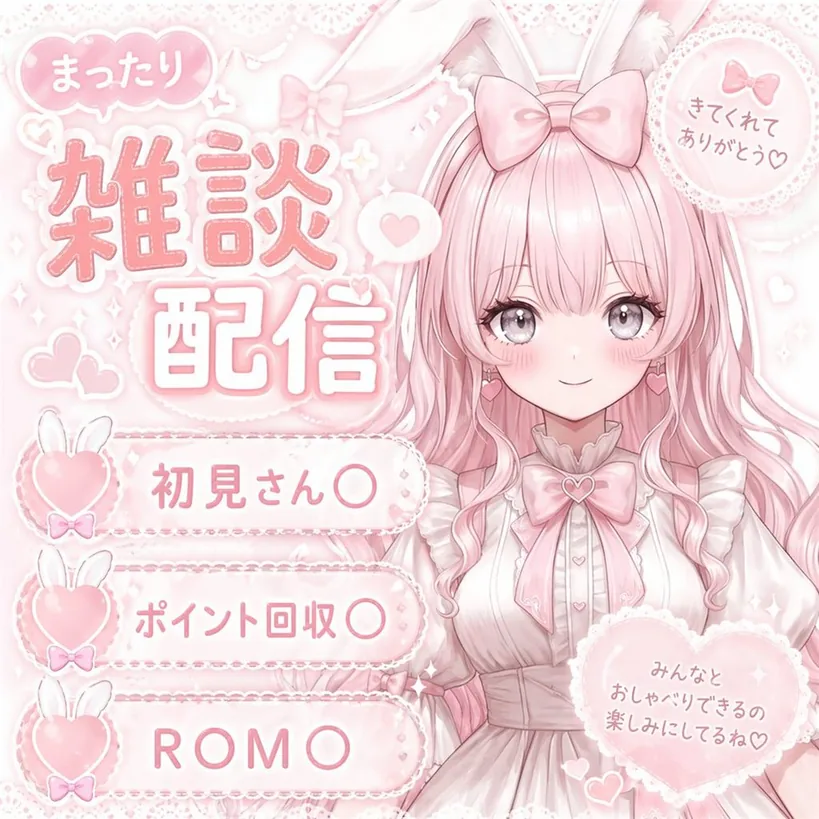
{ "type": "VTuber stream thumbnail", "theme": "pastel pink, soft, cute, lace, ribbons, hearts, bunny motif", "character": { "position": "right side, waist-up", "appearance": "anime girl, {argument name=\"hair color\" default=\"pastel pink\"} long wavy hair, large grey eyes, blush, pink heart earrings", "accessories": "white bunny ears, large pink bow on head", "outfit": "white frilly dress with lace, large pink ribbon bow at collar with heart gem" }, "layout": { "background": "soft pink with subtle sparkles, lace patterns, floating hearts", "text_elements": [ { "type": "main title", "position": "top left", "style": "large stylized pink text with white outline", "text": "{argument name=\"main title\" default=\"雑談配信\"}" }, { "type": "speech bubble", "position": "above main title", "text": "まったり" }, { "type": "circular badge", "position": "top right", "details": "lace-edged with small pink bow", "text": "きてくれてありがとう♡" }, { "type": "heart badge", "position": "bottom right", "details": "large lace-edged heart", "text": "みんなとおしゃべりできるの楽しみにしてるね♡" } ], "list_section": { "position": "bottom left", "count": 3, "style": "horizontal pill-shaped banners with lace edges, each featuring a pink heart with white bunny ears and a tiny bow on the left", "items": [ "{argument name=\"list item 1\" default=\"初見さん〇\"}", "{argument name=\"list item 2\" default=\"ポイント回収〇\"}", "{argument name=\"list item 3\" default=\"ROM〇\"}" ] } } }

UI与界面ui
去生成同款
UI与界面

UI与界面

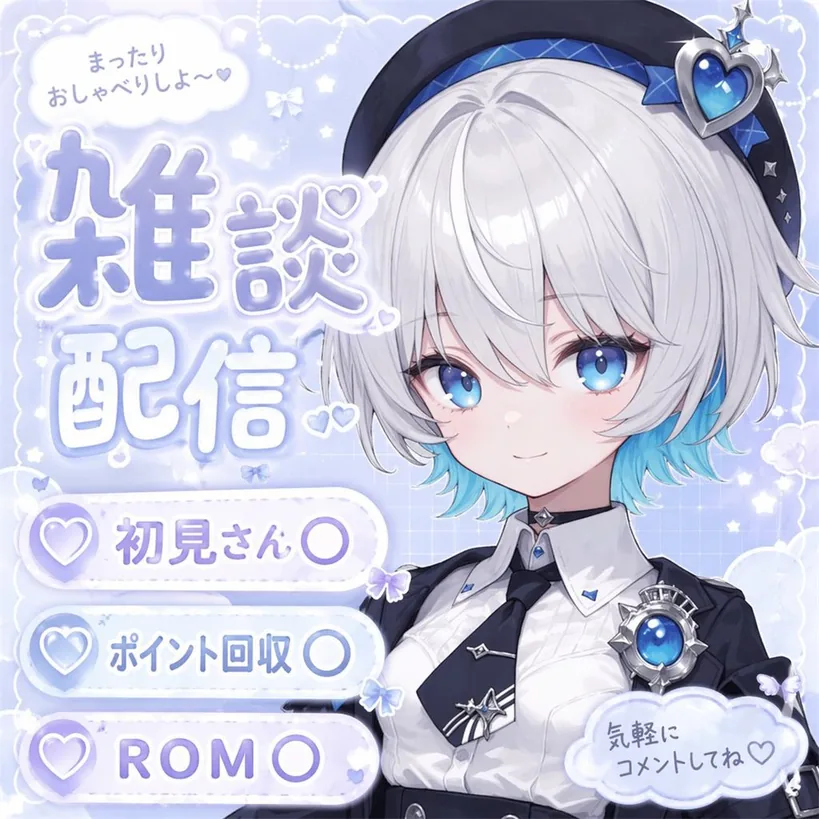
{ "type": "anime-style livestream thumbnail", "character": { "hair": "{argument name=\"hair color\" default=\"short silver hair with cyan underlights\"}", "eyes": "large bright blue", "outfit": "white collared shirt, black tie with silver accents, black jacket, black beret with a large blue heart jewel, blue jewel brooch, black choker", "pose": "smiling gently, looking at viewer, positioned on the right side" }, "background": "pastel blue with white clouds, sparkles, stars, small bows, and a subtle grid pattern", "typography_and_ui": { "top_left_speech_bubble": "まったりおしゃべりしよ〜♡", "main_title": { "text": "{argument name=\"main title\" default=\"雑談配信\"}", "style": "large, soft blue gradient, white outline, decorated with small hearts, positioned on the middle-left" }, "bottom_left_badges": { "count": 3, "style": "white pill-shaped buttons with a purple heart icon on the left", "labels": [ "{argument name=\"badge 1 text\" default=\"初見さん〇\"}", "{argument name=\"badge 2 text\" default=\"ポイント回収〇\"}", "{argument name=\"badge 3 text\" default=\"ROM〇\"}" ] }, "bottom_right_cloud_bubble": "気軽にコメントしてね♡" } }

UI与界面ui
去生成同款
信息图设计

信息图设计

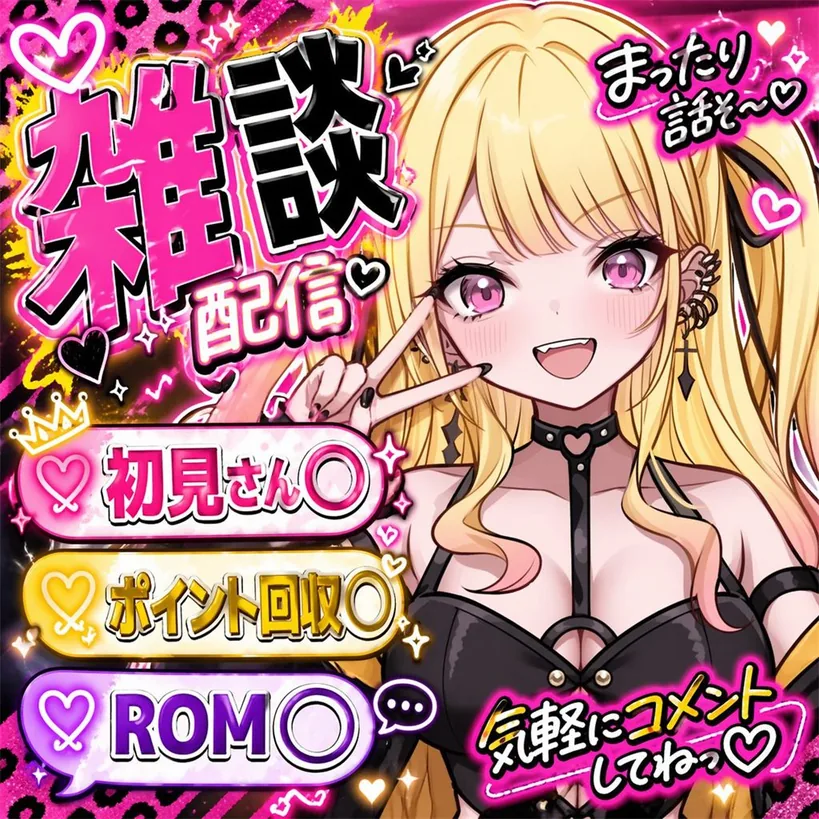
{ "type": "VTuber stream thumbnail", "character": { "hair": "long blonde twin tails with pink gradient ends", "eyes": "large pink anime eyes", "expression": "cheerful smile with a small fang, making a peace sign near the eye", "outfit": "black top with harness straps, black heart-ring choker, multiple ear piercings including a cross dangle, black nail polish" }, "background": "vibrant neon pink and black leopard print with glowing yellow accents, sparkles, and floating hearts", "typography_and_layout": { "main_title": { "position": "top left", "style": "large, bold, 3D, pink and black with white outlines", "text": "{argument name=\"main title\" default=\"雑談配信\"}" }, "top_right_text": { "style": "casual handwritten style with a heart", "text": "{argument name=\"top right text\" default=\"まったり話そ〜♡\"}" }, "bottom_left_banners": { "count": 3, "style": "glowing pill-shaped banners with heart icons on the left", "colors": ["pink", "yellow", "purple"], "labels": [ "{argument name=\"banner 1 text\" default=\"初見さん〇\"}", "{argument name=\"banner 2 text\" default=\"ポイント回収〇\"}", "{argument name=\"banner 3 text\" default=\"ROM〇\"}" ] }, "bottom_right_text": { "style": "casual handwritten style with a heart, yellow text with pink outline", "text": "気軽にコメントしてねっ♡" } } }

信息图设计infographic
去生成同款
场景/叙事

场景/叙事

Create a high-quality Japanese {argument name="thumbnail type" default="webinar thumbnail"}. {argument name="aspect ratio" default="16:9 widescreen"}. There is a lot of text, but the main copy stands out clearly.

场景/叙事scene
去生成同款
UI与界面

UI与界面

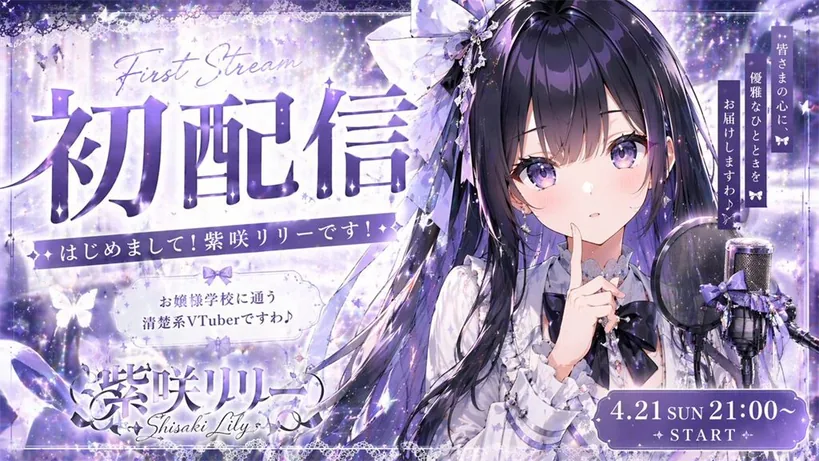
{ "type": "VTuber debut stream thumbnail", "character": { "appearance": "anime girl, long dark purple hair, purple eyes, frilly white blouse, dark purple bow tie, large hair bow", "pose": "finger to lips, cute expression", "props": "condenser microphone with pop filter and purple ribbon on the right" }, "background": "magical starry night, sparkles, glowing butterflies, purple and white color palette", "layout": { "typography": [ { "position": "top left", "style": "large bold text with cursive English above", "text": "{argument name=\"main title\" default=\"初配信\"}", "subtext_1": "First Stream", "subtext_2": "Nice to meet you! I am Shisaki Lily!" }, { "position": "middle left", "style": "decorative box", "text": "{argument name=\"character description\" default=\"お嬢様学校に通う清楚系VTuberですわ♪\"}" }, { "position": "bottom left", "style": "logo style", "text": "{argument name=\"character name\" default=\"紫咲リリー\"}", "subtext": "Shisaki Lily" }, { "position": "top right", "style": "vertical text", "text": "{argument name=\"catchphrase\" default=\"皆さまの心に、優雅なひとときをお届けしますわ♪\"}" }, { "position": "bottom right", "style": "decorative pill shape", "text": "{argument name=\"stream date and time\" default=\"4.21 SUN 21:00~\"}", "subtext": "✦ START ✦" } ] } }

UI与界面ui
去生成同款
UI与界面

UI与界面

{ "type": "promotional banner / YouTube thumbnail", "style": "high contrast, flashy, professional, {argument name=\"theme color\" default=\"gold and black\"} palette, glowing light rays, sparkling particles", "subject": { "description": "{argument name=\"subject description\" default=\"confident young Asian man in a dark suit with arms crossed\"}", "pose": "looking upwards to the right", "props": "glowing open laptop in front of him" }, "layout": { "background": "dark with radiant gold light bursts", "text_sections": { "top_left_badge": "[保存版]", "top_header": "{argument name=\"top text\" default=\"知識ゼロからでも今日から始められる! AIで稼ぐ力を最短で手に入れる!\"}", "main_title": { "text": "{argument name=\"main title\" default=\"AI副業 完全攻略\"}", "style": "large, bold, 3D gold and white typography" }, "subtitle_box": "{argument name=\"subtitle\" default=\"初心者でも月10万\"}", "top_right_badge": { "style": "gold laurel wreath", "text": "2026年版 最新版" }, "middle_right_tags": { "count": 3, "style": "stacked gold-bordered boxes", "labels": ["最短で収益化", "具体例つき", "誰でも始めやすい"] }, "middle_right_ribbon": { "style": "red ribbon banner", "text": "手順を徹底解説" }, "bottom_left_tags": { "count": 6, "style": "2x3 grid of gold-bordered boxes", "labels": ["おすすめツール紹介", "収益化の流れがわかる", "失敗しない始め方", "作業時間を最小化", "テンプレ付き", "再現しやすい方法"] }, "bottom_footer": "迷わず稼げる!AI副業の教科書", "bottom_right_badge": { "style": "gold laurel wreath", "text": "テンプレ付き" } } } }

UI与界面ui
去生成同款
UI与界面

UI与界面

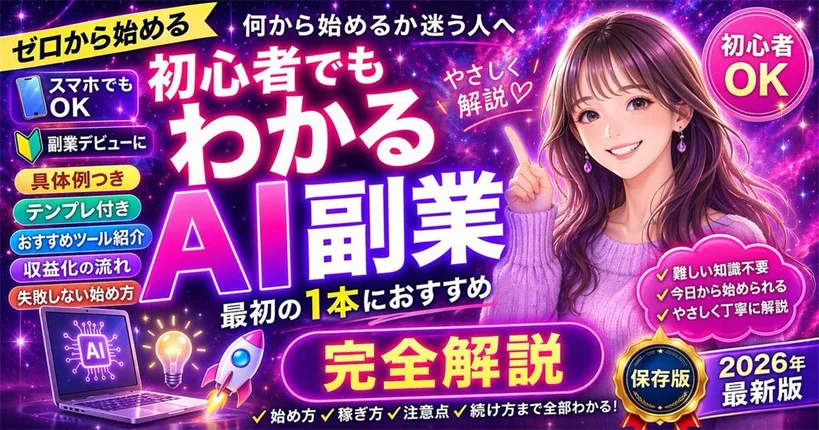
{ "type": "promotional banner thumbnail", "style": "vibrant neon, cosmic galaxy background, anime illustration style, high-density Japanese typography, glowing text effects", "character": { "description": "smiling young woman pointing upwards with right index finger", "appearance": "long {argument name=\"character hair color\" default=\"brown\"} hair, purple drop earrings, textured purple sweater", "position": "right side" }, "layout": { "background": "purple, pink, and blue starry space nebula", "center_typography": { "top_small_text": "何から始めるか迷う人へ", "main_title": "{argument name=\"main title\" default=\"初心者でもわかる AI副業\"}", "subtitle": "最初の1本におすすめ", "floating_text_near_character": "やさしく解説♡" }, "top_left": { "yellow_ribbon": "{argument name=\"top left ribbon text\" default=\"ゼロから始める\"}" }, "top_right": { "pink_circle_badge": "初心者 OK" }, "left_column": { "count": 7, "description": "stack of pill-shaped badges", "labels": [ "スマホでもOK (with phone icon)", "副業デビューに (with beginner mark icon)", "具体例つき", "テンプレ付き", "おすすめツール紹介", "収益化の流れ", "失敗しない始め方" ] }, "bottom_left_graphics": { "count": 3, "items": [ "laptop displaying an AI circuit brain graphic", "glowing lightbulb", "rocket ship taking off" ] }, "bottom_center": { "large_purple_button": "{argument name=\"bottom center button text\" default=\"完全解説\"}", "checklist_text_below": "✓始め方 ✓稼ぎ方 ✓注意点 ✓続け方まで全部わかる!" }, "bottom_right": { "pink_cloud_shape": { "count": 3, "bullet_points": [ "✓難しい知識不要", "✓今日から始められる", "✓やさしく丁寧に解説" ] }, "gold_medal_seal": "保存版", "purple_badge": "{argument name=\"year badge text\" default=\"2026年 最新版\"}" } } }

UI与界面ui
去生成同款
UI与界面

UI与界面

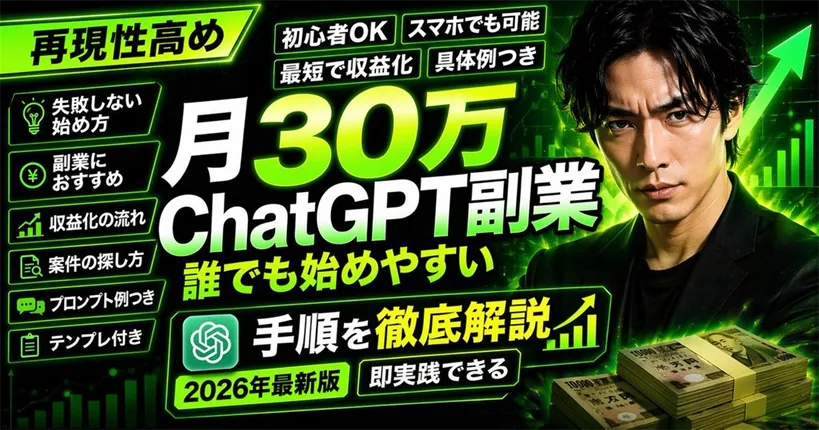
{ "type": "YouTube thumbnail", "style": "High-impact, neon green and black color scheme, cyber business aesthetic", "background": "Dark with glowing green grid, upward chart lines, large green arrow", "subject": { "description": "{argument name=\"subject description\" default=\"Serious Japanese man in a black suit\"}", "position": "Right side", "props": "Stacks of 10,000 Yen bills in bottom right" }, "layout": { "main_title": { "text": "{argument name=\"main title\" default=\"月30万 ChatGPT副業 誰でも始めやすい\"}", "position": "Center, huge bold white and green gradient text" }, "top_left_badge": { "text": "{argument name=\"top left badge\" default=\"再現性高め\"}", "style": "Angled neon green box" }, "top_tags": { "count": 4, "labels": ["初心者OK", "スマホでも可能", "最短で収益化", "具体例つき"] }, "left_bullet_points": { "count": 6, "style": "Dark boxes with neon green borders and icons", "items": [ "Lightbulb icon: 失敗しない始め方", "Yen coin icon: 副業におすすめ", "Chart icon: 収益化の流れ", "Search icon: 案件の探し方", "Chat icon: プロンプト例つき", "Clipboard icon: テンプレ付き" ] }, "bottom_banner": { "text": "{argument name=\"bottom banner text\" default=\"手順を徹底解説\"}", "icons": "ChatGPT logo left, upward chart right" }, "bottom_tags": { "count": 2, "labels": ["{argument name=\"year tag\" default=\"2026年最新版\"}", "即実践できる"] } } }

UI与界面ui
去生成同款
信息图设计

信息图设计

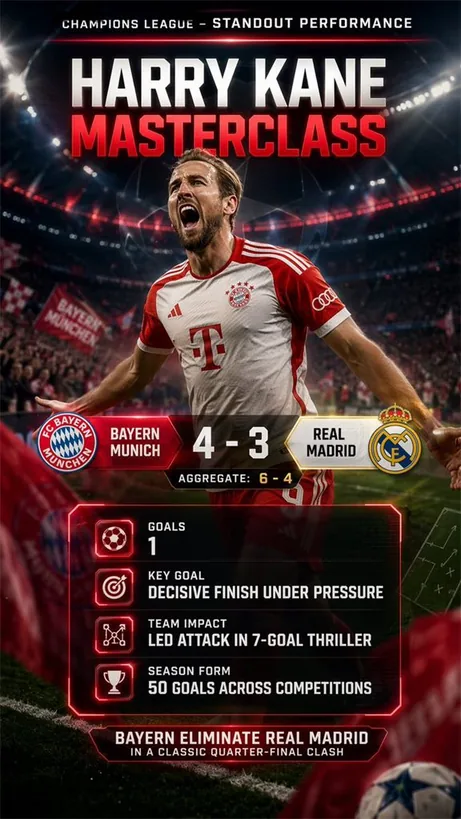
Search the web for {argument name="performance description" default="this week’s standout individual performance in Champion’s League"}, using exact stats and game summary, {argument name="colors" default="bold team colors"}, legible score breakdown, and generate a {argument name="card type" default="Highlight card"}.

信息图设计infographic
去生成同款